
Editing and Managing Objects
Use Select mode, the popup editor, the selected object panel, and the object list to manage everything on the site plan.
Select mode
Choose Select to click existing objects on the map. Select mode can interact with:
- Deterrents.
- Indicators.
- References.
- Greenspaces.
- Buildings.
- The heatmap legend.
Popup editor
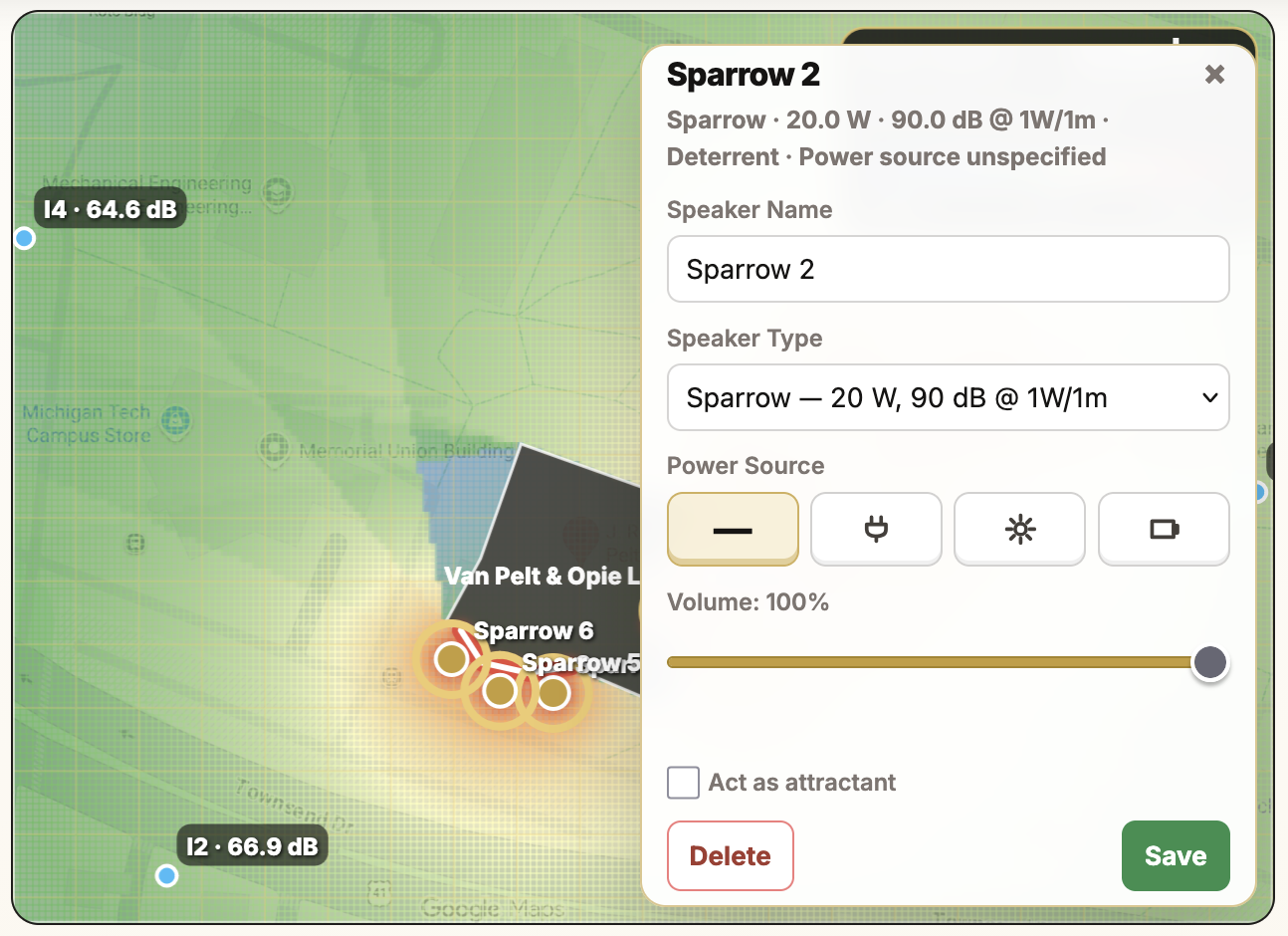
Click an object to open a nearby popup editor. The popup provides quick edits without leaving the canvas.

Popup actions commonly include:
- Rename the object.
- Change object-specific settings.
- Delete the selected object.
- Save changes.
Selected Object panel
The right-side Selected Object panel mirrors many popup controls and is useful for precise editing.
Editable object settings include:
- Deterrent name, type, custom power, sensitivity, power source, AC voltage, volume, and attractant role.
- Indicator maximum-noise enforcement and SPL limit.
- Greenspace label and deter-from setting.
- Building name and attenuation.
- Reference deletion.
Objects panel
The Objects panel lists placed objects and provides Select buttons. Use this when objects overlap or when it is easier to select by name.
Dragging objects
In Select mode, you can drag:
- Deterrents.
- Indicators.
- References.
- The heatmap legend.
Buildings and greenspaces are selected and edited through their properties; redraw them if the outline needs major changes.
Deleting objects
Deletion options:
- Select an object and click Delete in the popup or side panel.
- Select an object and press Delete or Backspace.
- Use Clear References to remove all references.
- Use Clear Map to remove the background image only.
Status bar feedback
The status bar below the map reports mode changes, drawing instructions, movement, successful updates, copy-link results, and recommendation messages.